
MadeMargin · Maker guide
Markup vs margin: the difference that changes your price
Markup divides profit by cost. Margin divides profit by selling price. With a cost of USD 12.00, a 50% markup gives a price of USD 18.00; a 50% margin gives a price of USD 24.00. These examples exclude selling fees and taxes.
Use the same cost definition throughout
For these formulas, cost means the total modeled cost of one sellable product. It can include materials, labor, packaging and your allocation of overhead. Profit means selling price minus that cost in this simplified model. It is not automatically your complete business net profit.
A percentage has no useful meaning without its denominator. Saying “I want 50% profit” leaves the calculation ambiguous: 50% of the cost and 50% of the selling price are different amounts.
Markup starts from the cost
Price = cost × (1 + markup rate)
Markup rate = (price − cost) ÷ cost. Write a 50% rate as 0.50 in the formula. At a cost of USD 12.00, the markup adds USD 6.00, producing USD 18.00. The USD 6.00 profit is half the cost, but only one-third of the price.
Margin starts from the selling price
Price = cost ÷ (1 − margin rate)
Margin rate = (price − cost) ÷ price. At a 50% margin, half the selling price must cover the USD 12.00 cost and half must remain as modeled profit. That requires USD 24.00, not USD 18.00. For a positive cost, the simple formula needs a margin below 100%; 100% leaves no share of the price to pay for the cost.
Choose a method and check what remains
Neither percentage is inherently the right target for every maker. A consistent method helps you compare products, but the resulting price still needs evaluation against your costs, sales channel and customers.
Selling fees complicate the simple formulas. A percentage fee may depend on the final price, while a fixed fee may apply per order or per item. Merely adding a fee percentage to a chosen margin can produce a misleading result. Model the actual fee bases separately.
- Add the costs for one sellable unit.
- Choose whether the target is relative to cost or selling price.
- Convert the percentage to a decimal and apply the matching formula.
- Check the result by calculating profit and dividing it by the intended denominator.
- Include selling fees and relevant tax context in a separate channel calculation.
Illustrative USD inputs
One USD 12.00 cost, two 50% targets
Selling fees and taxes are excluded. No shipping or additional selling costs are included.
| Input or comparison | Calculation |
|---|---|
| 50% markup | 12 × (1 + 0.50) = USD 18.00 price; USD 6.00 modeled profit. |
| Margin at that price | (18 − 12) ÷ 18 = 33.33% margin, approximately. |
| 50% margin | 12 ÷ (1 − 0.50) = USD 24.00 price; USD 12.00 modeled profit. |
| Markup at that price | (24 − 12) ÷ 12 = 100% markup. |
The same percentage label cannot be moved between the two methods. These are illustrative calculations, not customer results or suggested MadeMargin app pricing.
Putting it into practice in MadeMargin
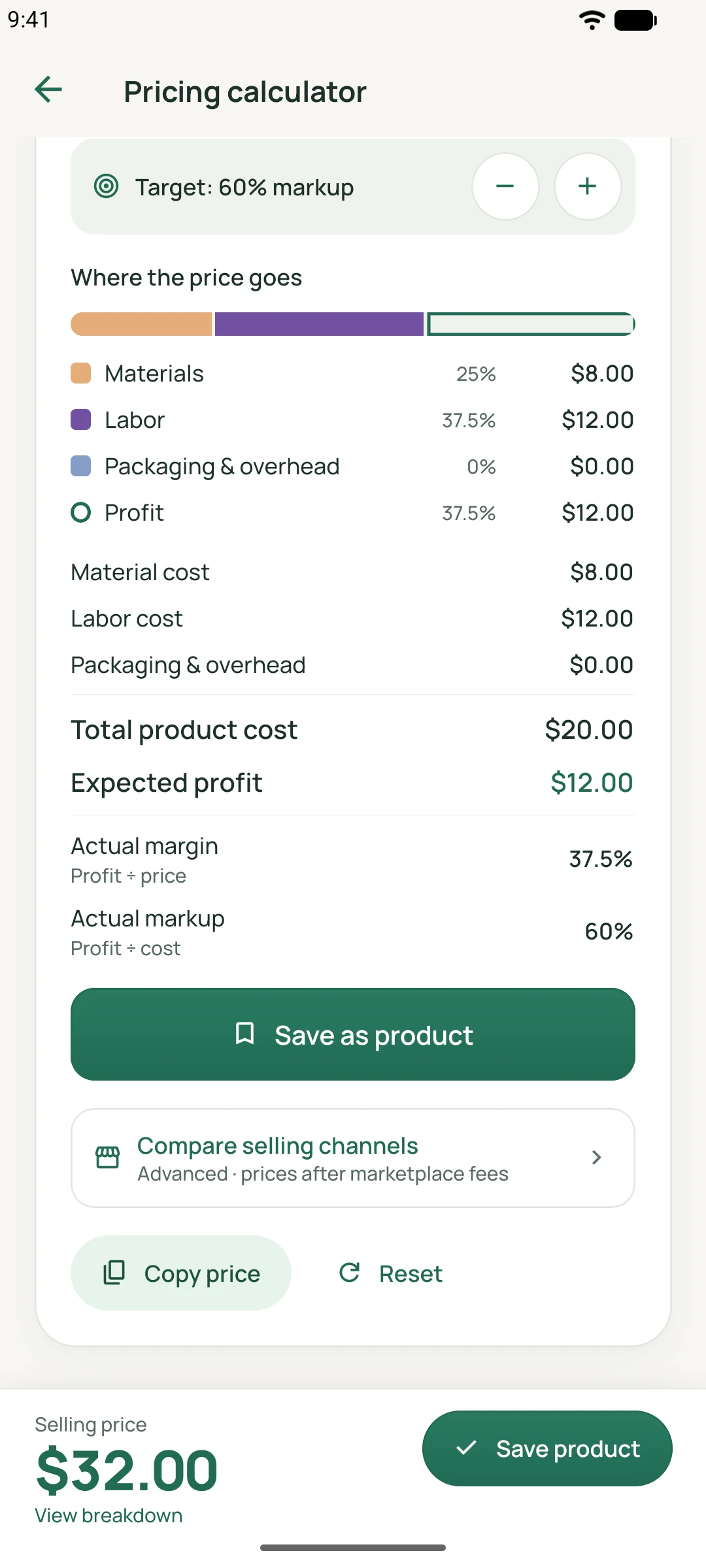
The app screens below show the relevant tools. They contain demonstration data and are separate from this guide’s worked example.
What this calculation cannot tell you
- The formulas describe a simplified product calculation, not a complete accounting or tax model.
- A zero cost makes percentage markup undefined; very high targets or selling fees can make a requested margin impossible.
- Profit estimates depend on your inputs. Rounding and fees can change the final effective percentages.
Related features
Continue reading
MadeMargin for Android and iOS
See each platform’s current availability on the download page.