
MadeMargin · Maker guide
How to price handmade products
Start with the full cost of making one sellable item, pay attention to your working time, then choose a pricing target and account for the costs of selling. A competitor’s price can be context, but it cannot tell you whether your own costs are covered.
Define what one product includes
A unit is the thing your customer buys: one ceramic cup, a pair of earrings or a boxed set of candles. Keep that definition consistent. If the price is for a pair, include both earrings and their shared packaging; do not compare it with a cost calculated for one earring.
Material cost is the portion of a purchase consumed by that unit. Labor is your working time valued at the rate you choose, or an explicit manual amount. Packaging is the material used to present and protect the item. Overhead is your chosen allocation of shared business costs. Profit is what remains after the costs included in the model; it is separate from paying for your labor.
Turn purchases into costs you can reuse
Keep purchase price, quantity and unit together. A USD 20.00 purchase of 1 kg of material costs USD 2.00 for 100 g used. Include small consumables when they matter: thread, clasps, labels and adhesive can be easy to overlook. Avoid adding the same box as both a material and a separate packaging charge.
Use compatible units. Length can convert between centimeters and meters, but a volume of wax does not become a mass without additional information. A pack needs a known piece count. Keep currencies separate rather than adding amounts with different currency codes.
Value the work, then choose a target
Include the time the product actually requires. For repeatable production, a batch estimate can help distribute shared setup work. Your chosen hourly rate and an allocation for overhead are inputs you must assess; an app cannot establish a suitable wage or discover every expense for you.
Markup measures profit relative to product cost. Margin measures it relative to selling price. They produce different prices at the same percentage. Choose the meaning first, then test a target against your costs and the market you intend to serve.
Follow a repeatable pricing routine
Keep the inputs behind the price, not just the final number. This makes later cost changes explainable and lets you compare selling channels on the same basis.
- Define the sellable unit and record its material quantities.
- Enter working time and rate, or a manual labor amount, plus packaging and allocated overhead.
- Choose markup or margin and review the breakdown.
- Add the applicable channel fees and shipping context before deciding the final price.
- Save a dated product calculation; explicitly review material changes before refreshing it.
Illustrative USD inputs
A sewn pouch: from costs to a starting price
All amounts are USD. This simplified example excludes selling fees, shipping and taxes.
| Input or comparison | Calculation |
|---|---|
| Materials | Fabric 4.00 + lining 1.50 + zip 1.00 = USD 6.50. |
| Labor | 30 minutes at USD 18.00 per hour = USD 9.00. |
| Other unit costs | Packaging 0.50 + allocated overhead 2.00 = USD 2.50. |
| Total product cost | 6.50 + 9.00 + 2.50 = USD 18.00. |
| 50% markup starting price | 18.00 × 1.50 = USD 27.00; modeled profit USD 9.00 before selling costs. |
USD 27.00 is a starting calculation, not a recommended market price or promised sale. Fees and any other omitted costs reduce what remains.
Putting it into practice in MadeMargin
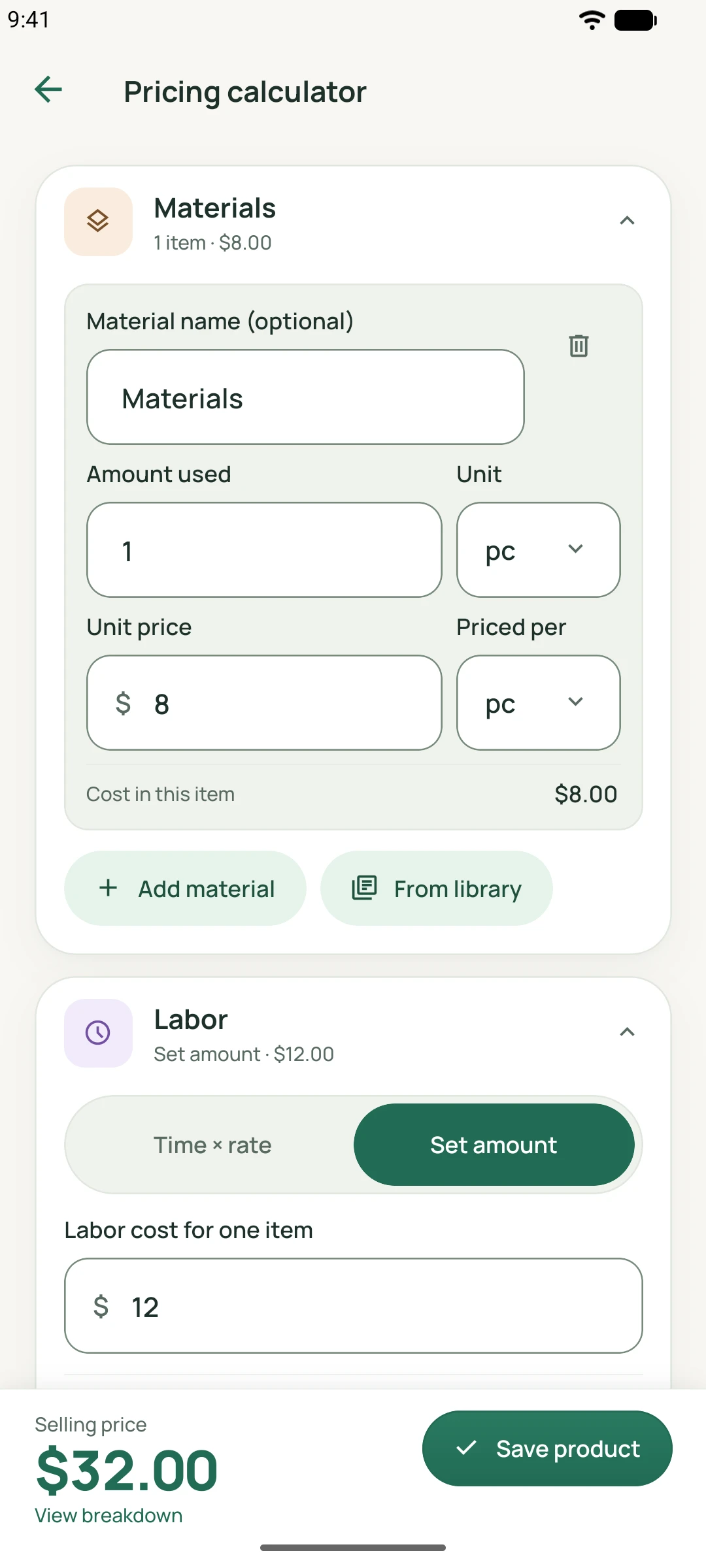
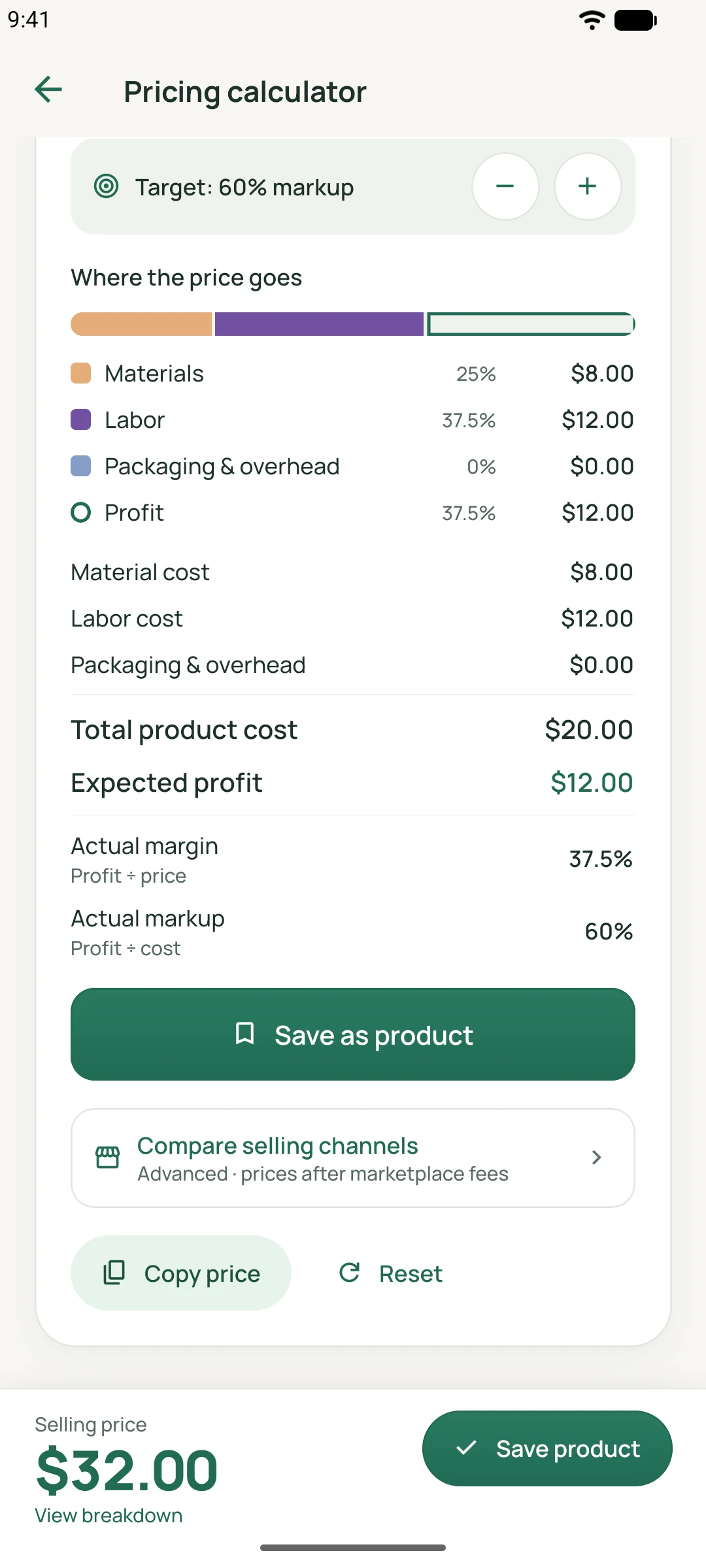
The app screens below show the relevant tools. They contain demonstration data and are separate from this guide’s worked example.
What this calculation cannot tell you
- A price calculation does not establish demand or guarantee profit. Your costs and selling assumptions must be complete and current.
- Allocated overhead and labor rates require judgment. Review them as your working pattern changes.
- MadeMargin does not automatically import shop sales, update marketplace fee schedules or convert currencies.
Related features
Continue reading
MadeMargin for Android and iOS
See each platform’s current availability on the download page.