
Understand your costs
Bring materials, labor, packaging, overhead, and extra costs into one product calculation.
Coming soon
MadeMargin is a costing and pricing app for handmade sellers. Bring material and labor costs together, choose your prices, and keep records of what you sell.
Coming to Android and iOS. No account needed.
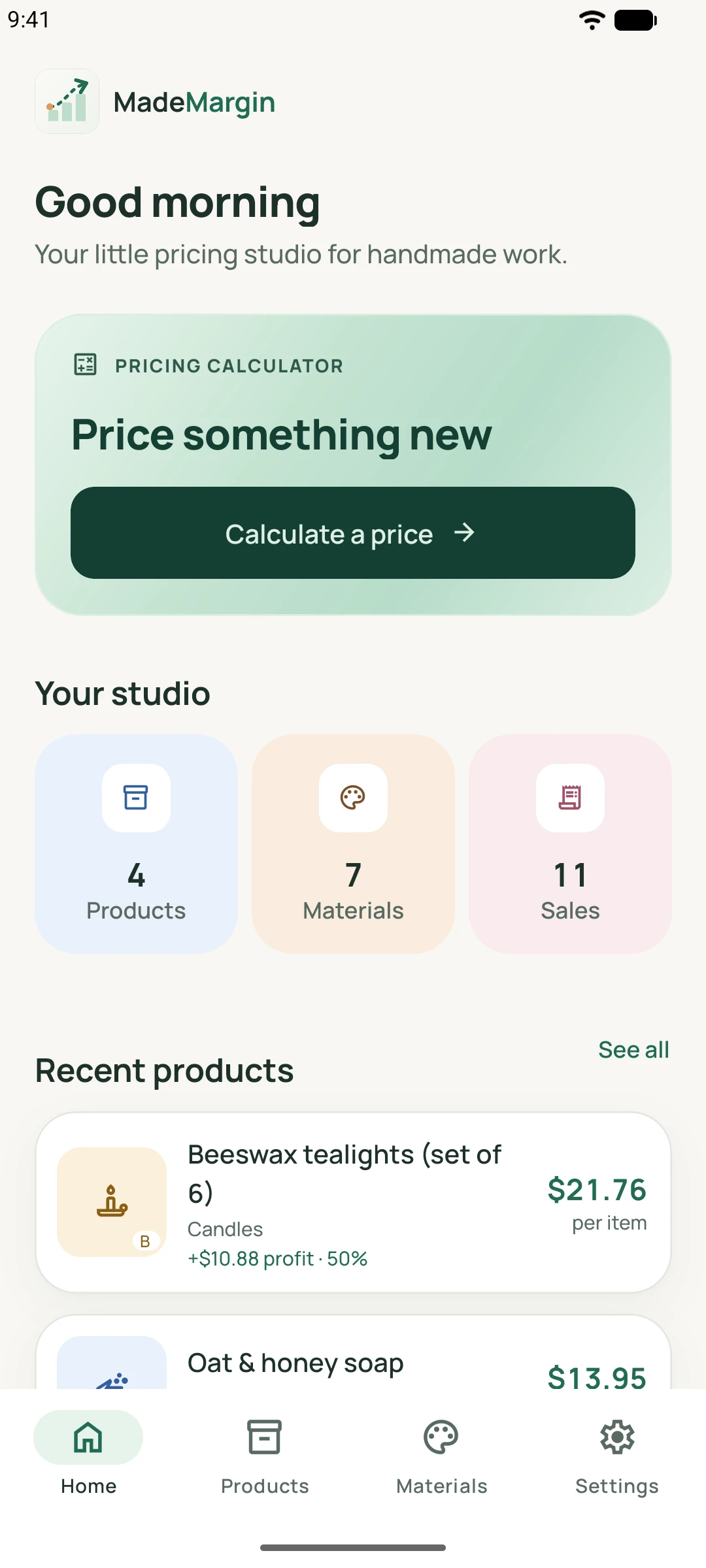
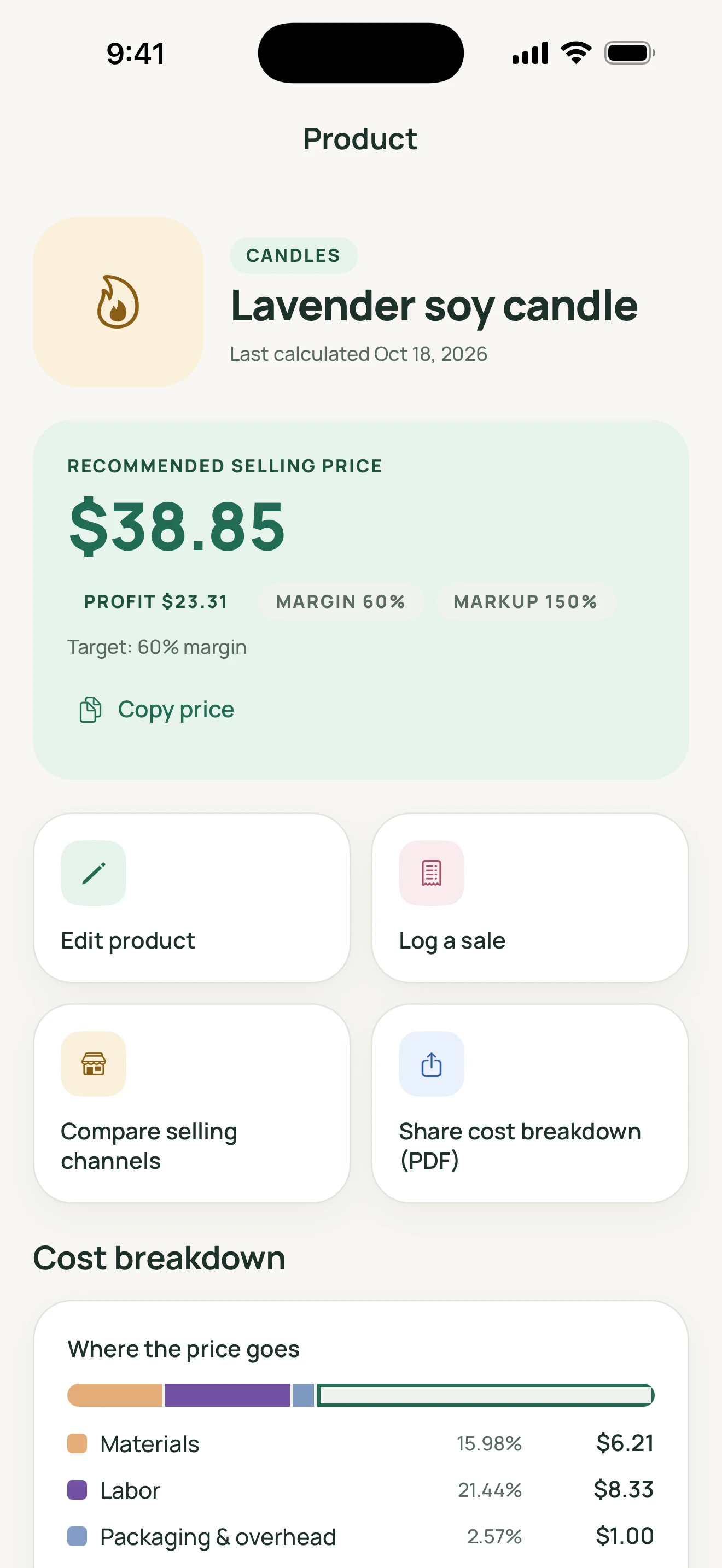
Explore the Android and iOS views. On smaller screens, scroll sideways; select any screenshot for a larger view.
From the first material to the final price
Bring materials, labor, packaging, overhead, and extra costs into one product calculation.
Explore markup or profit margin, compare selling channels, and account for configurable fees.
Record sales and fees manually, then review revenue and estimated profit from those records.
A practical rhythm
A candle, crocheted bag, pair of earrings, ceramic cup, or sewn pouch: start with what goes into making it.
Enter purchase costs and quantities once. Reuse your materials, with conversion between compatible units.
Add materials, time or manual labor cost, packaging, and overhead. Explore a markup or profit margin and save the product.
Log what sold and the fees you paid. Review revenue and estimated profit from your own records.
The pricing calculator
Wax and wicks, yarn and working time, clay and packaging. Bring the costs of a piece together before choosing what to charge.
Use your material costs, hourly or manual labor, packaging, overhead, and any additional costs.
Calculate with markup or profit margin. Explore hourly-rate guidance and profit-target examples using your own inputs.
See the cost breakdown and estimated profit alongside the selling price, then save the product.
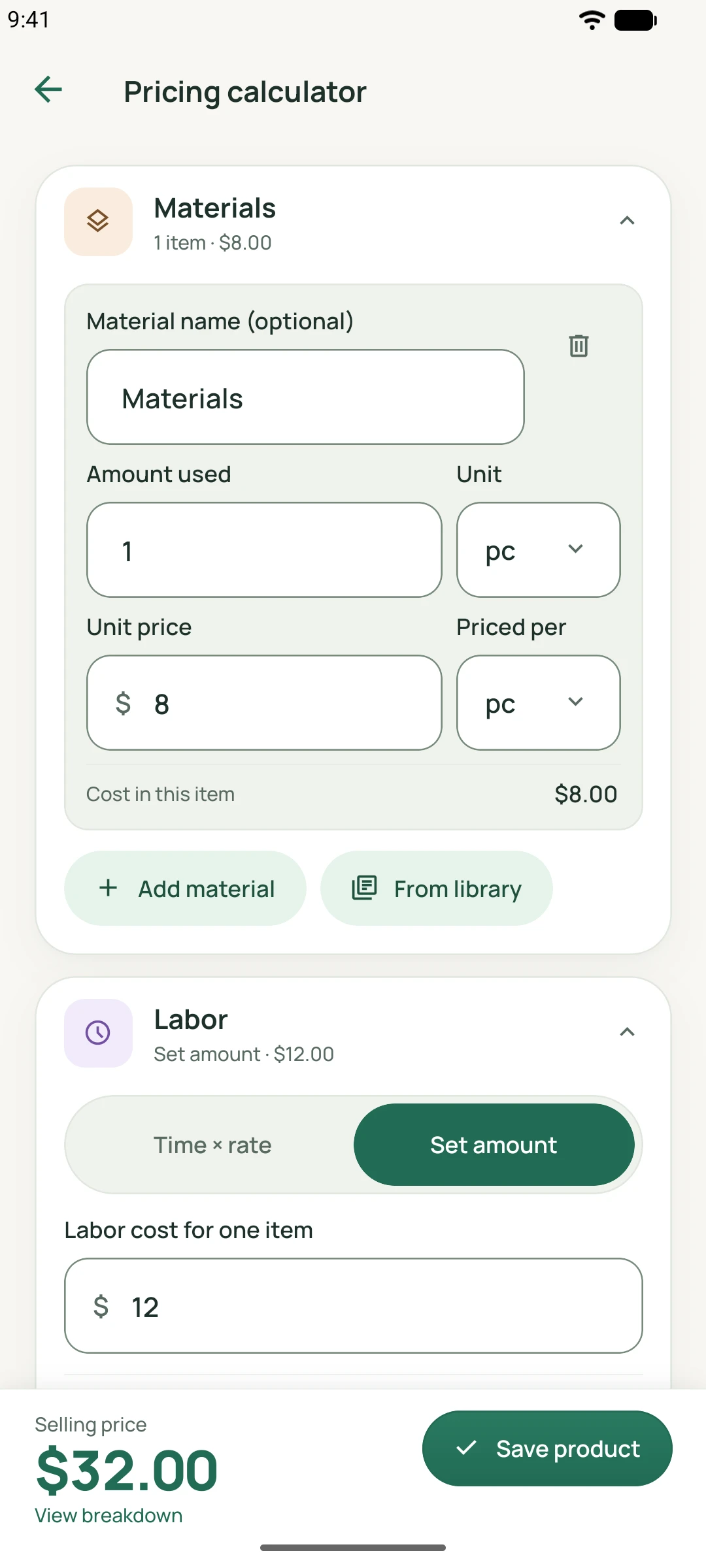
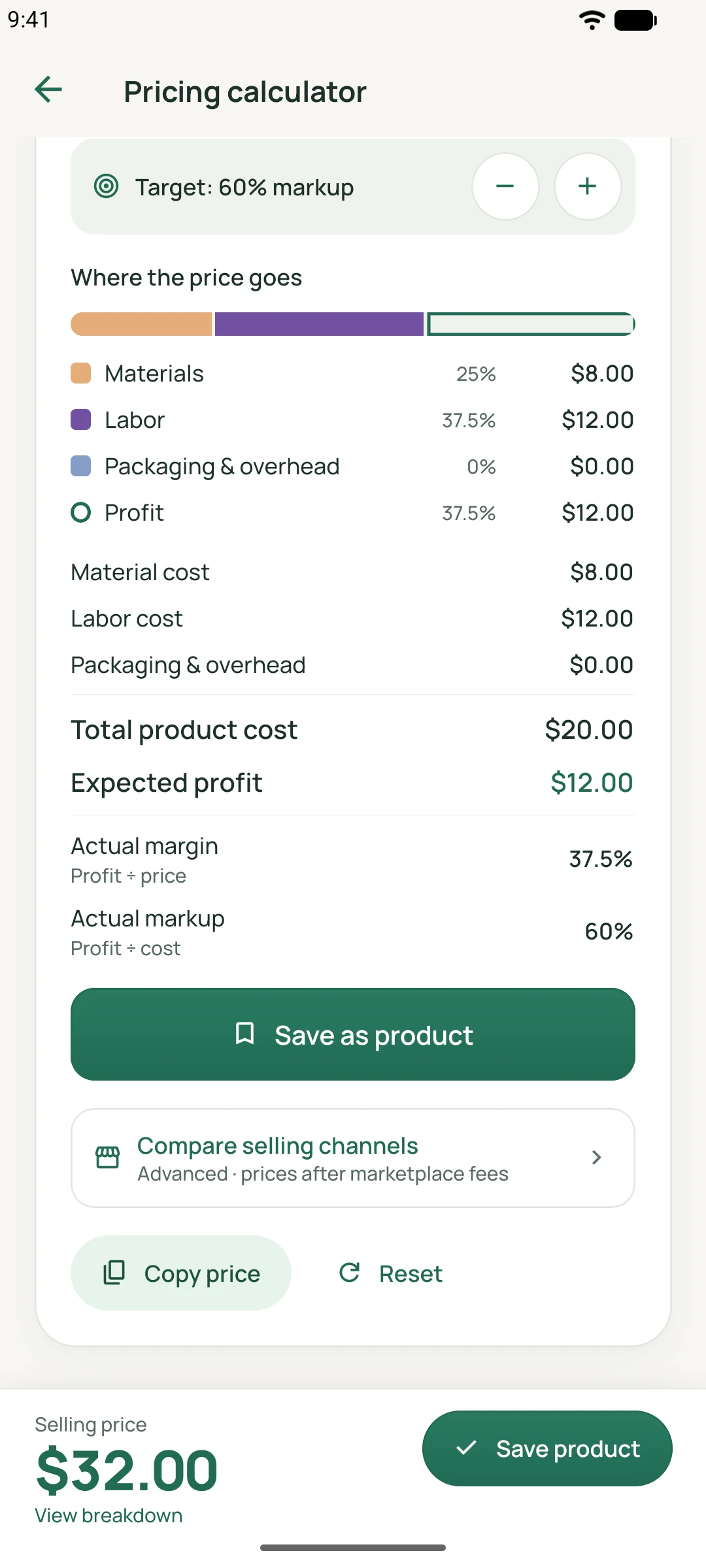
On smaller screens, scroll sideways to explore. Select a screenshot for a larger view.
Need to step away? An unfinished calculator draft can be resumed or discarded when you return.
Materials & saved products
Build a reusable material library and save your products. When material costs change, review and choose the updates before refreshing a product’s costs.
Keep wax, wicks, beads, fabric, or yarn in your library. Add photos, categories, notes, and pricing history to saved products. The examples shown here use category icons.
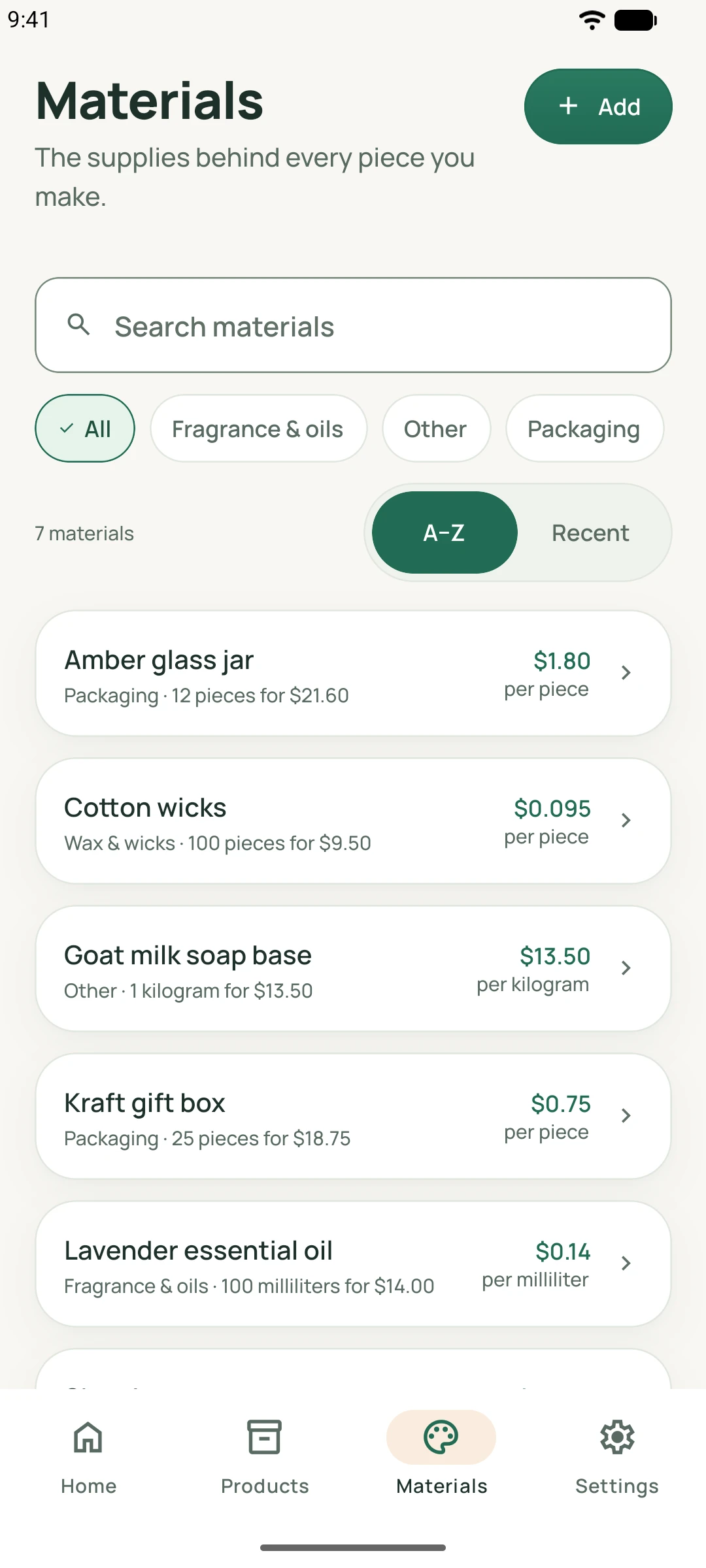
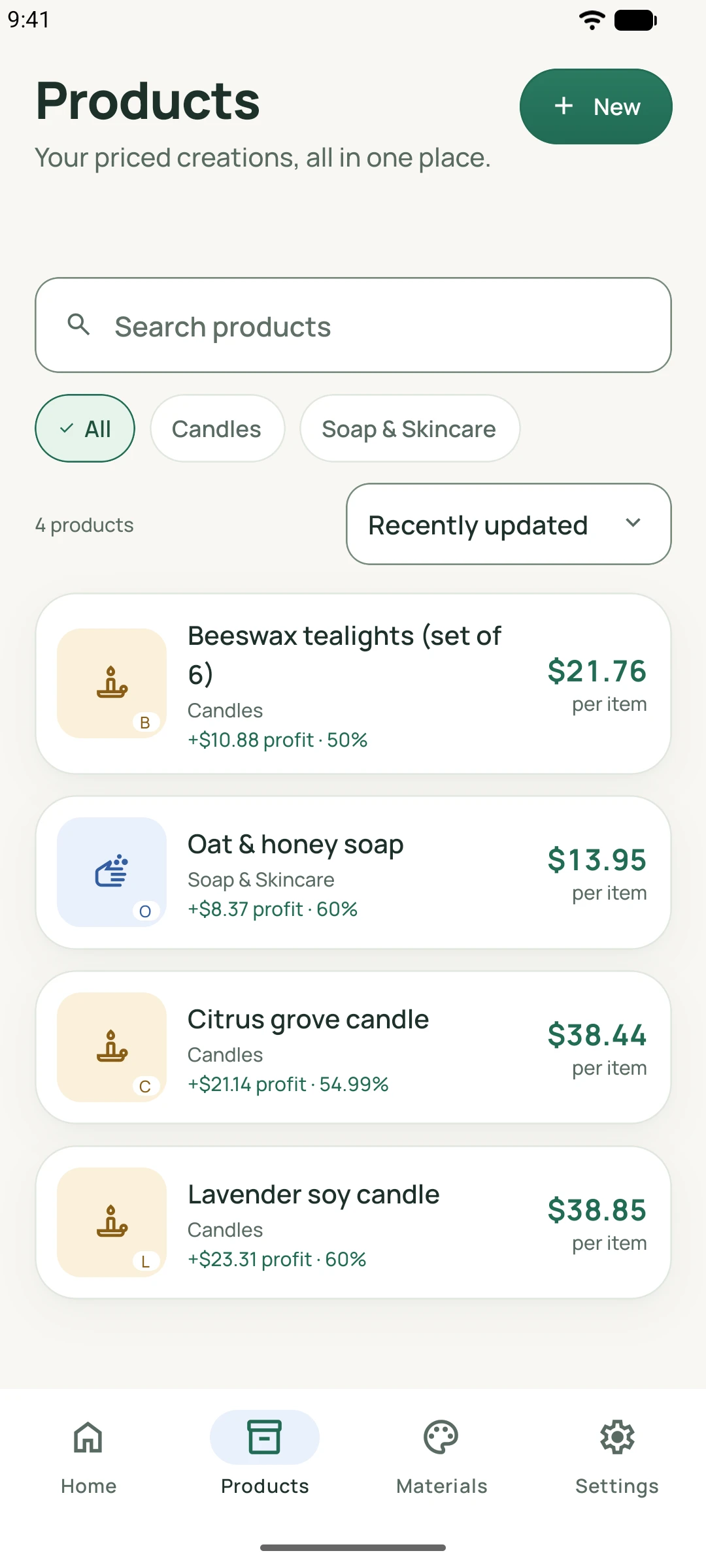
On smaller screens, scroll sideways to explore. Select a screenshot for a larger view.
Channels & batches
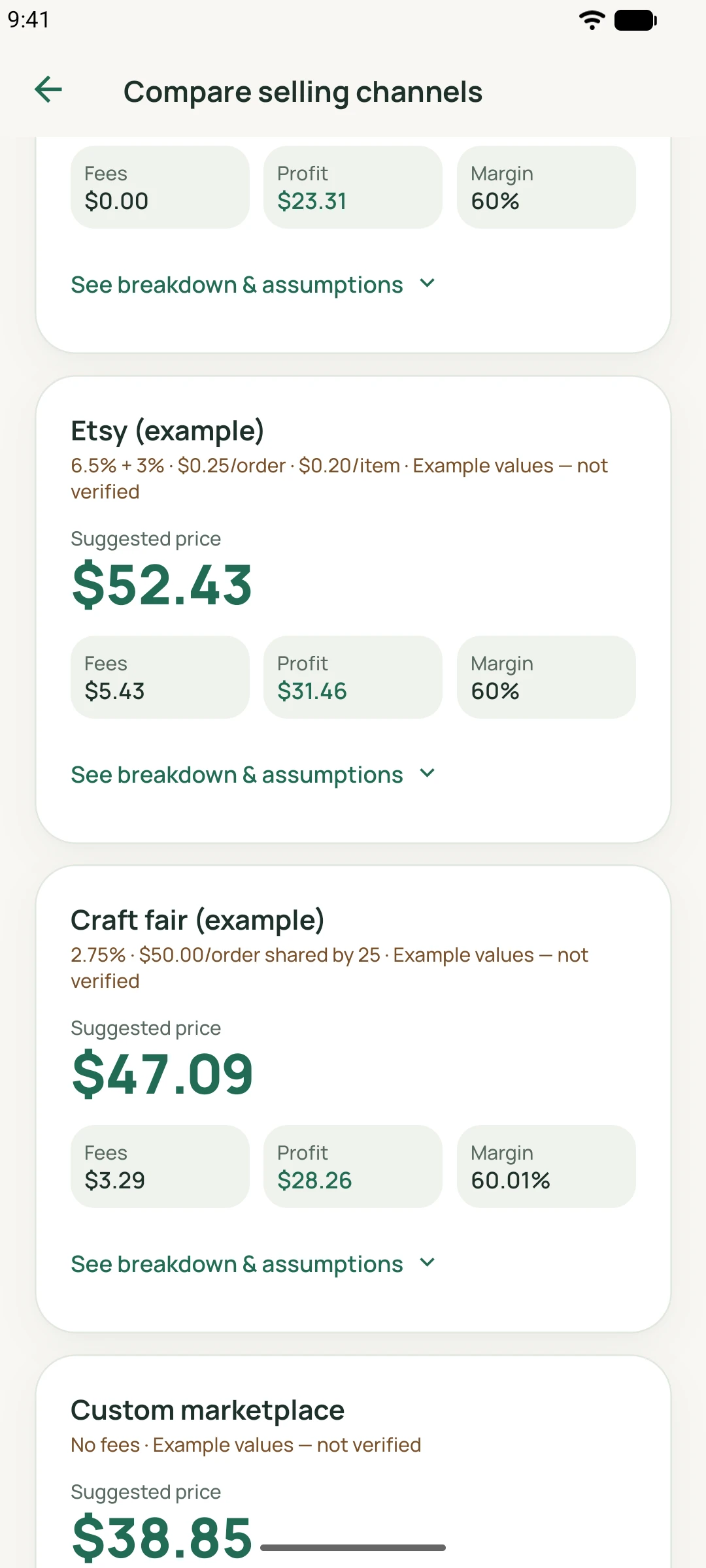
A market stall and an online order can leave different amounts after fees and shipping. Compare them using your own assumptions.
Configure fees, shipping, and tax context. Review break-even prices and retail rounding. Comparisons do not connect to your shop or verify marketplace rates.
Account for rejected items and separate per-item extras. Spread batch costs across the usable items, whether you are making candles or sewing a run of pouches.
After the sale
Give your product estimates and recorded sales their own place, then take useful reports and copies of your data with you.
Manually log sales and fees. Sales summaries show revenue and estimated gross profit based on those records; they are management estimates, not accounting or tax records.
Product insights show estimated margins and profit from saved product costs and prices. These estimates are separate from money received through recorded sales.
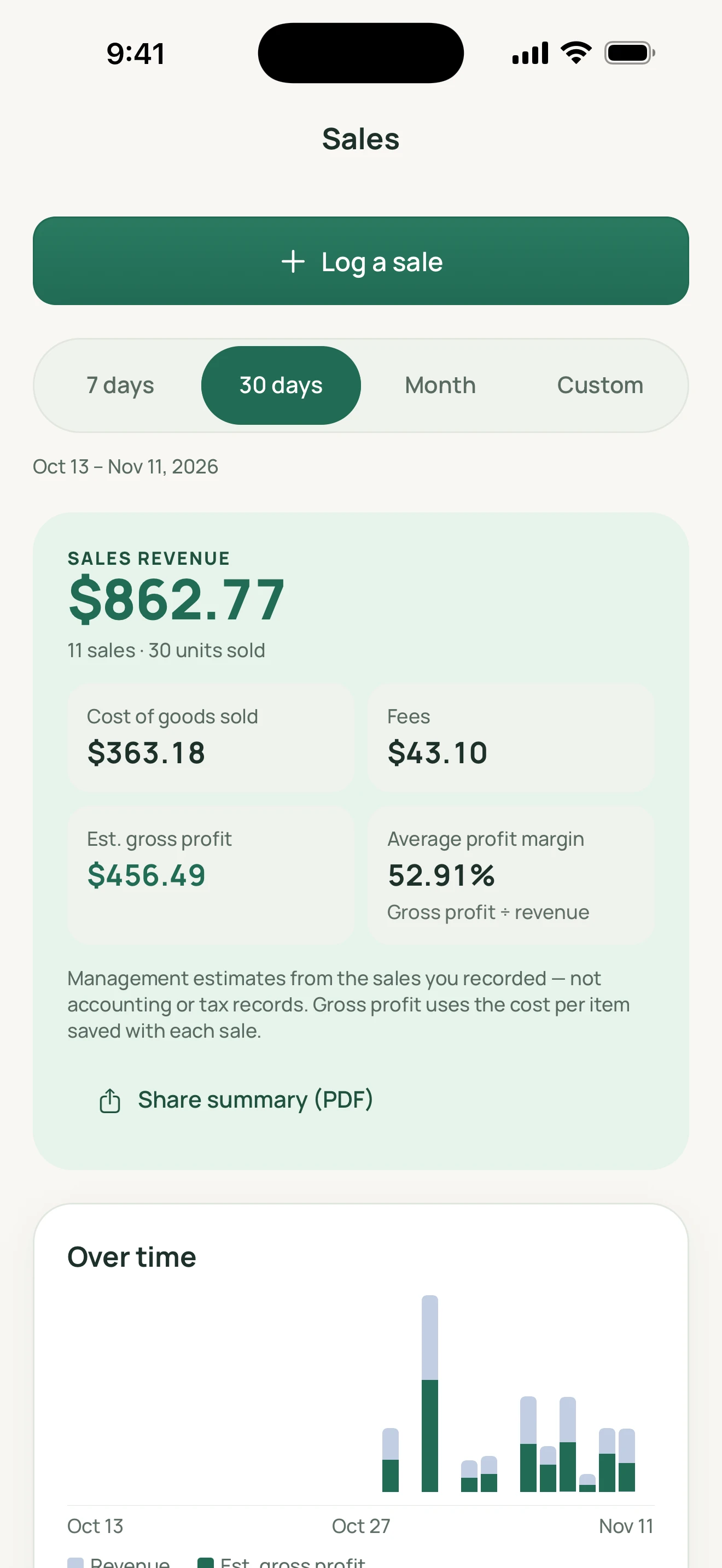
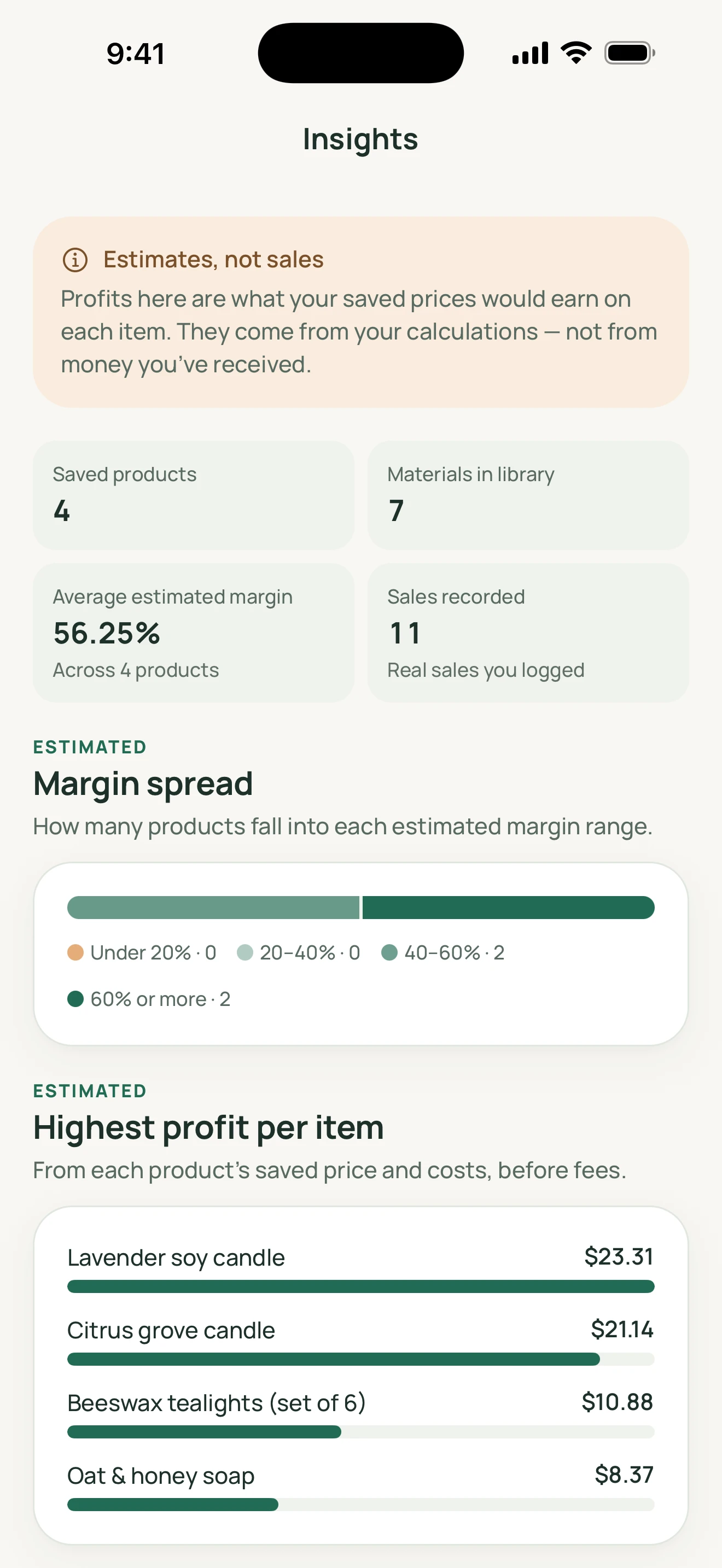
On smaller screens, scroll sideways to explore. Select a screenshot for a larger view.
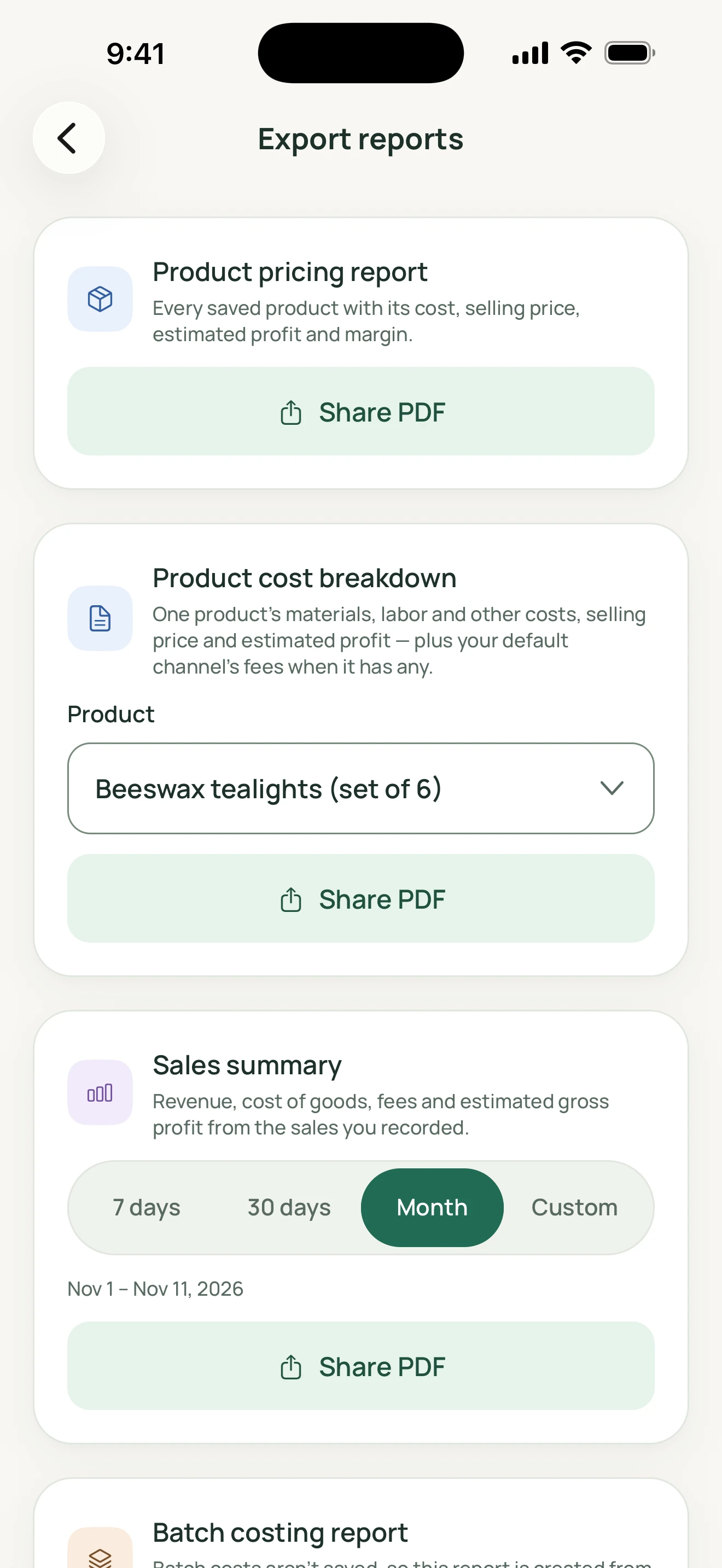
Create PDF reports and export CSV records. Files are shared only to the destinations you choose. The screenshot shows report options, not a generated PDF.
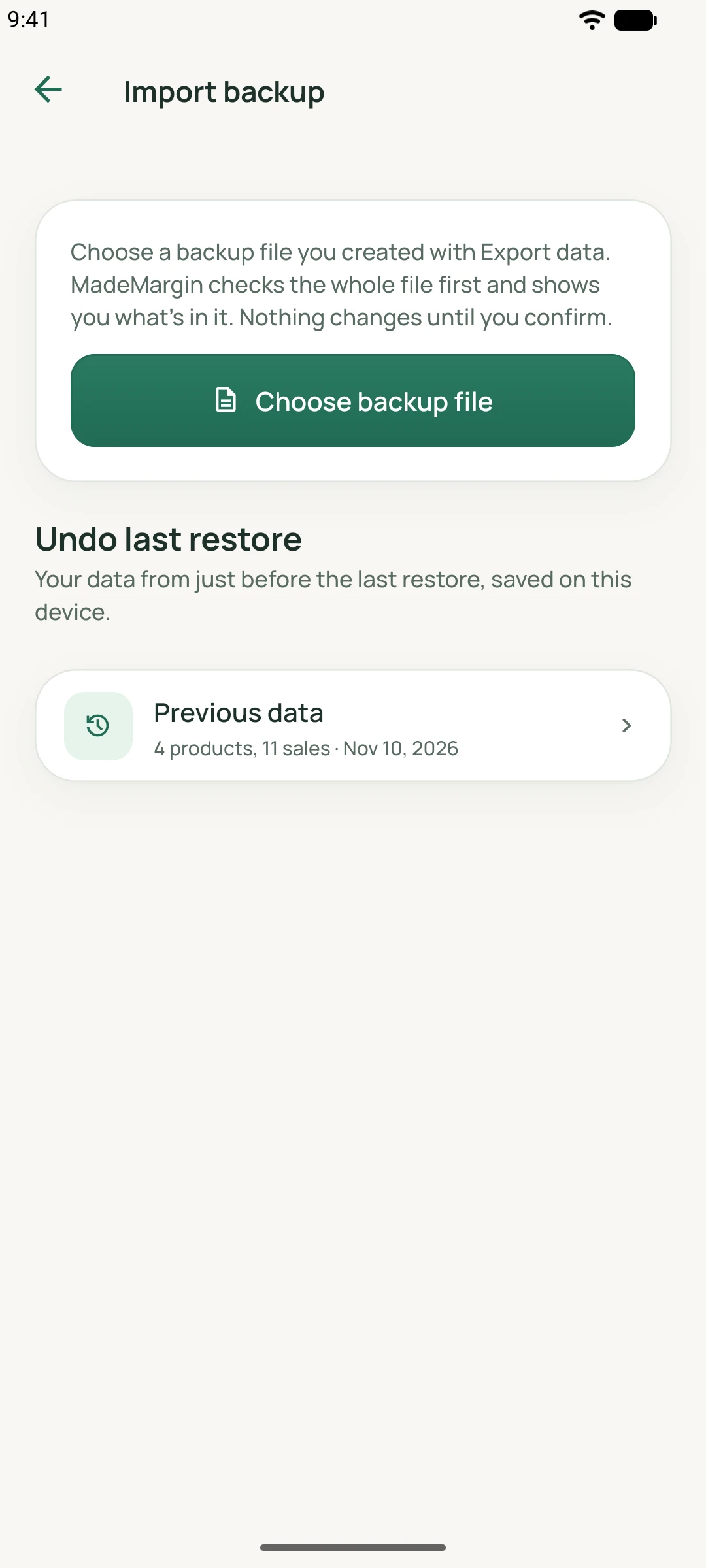
Explicitly export a JSON backup and restore it when needed. A local safety copy is created before a restore. Keep your own copies; there is no automatic cloud sync.
Your studio, your data
Business records, preferences, and product photos stay on your device. There is no account or automatic cloud sync, and pricing works offline. You choose when to export or share a file.
If you submit a support request, your contact details and message, any image you choose, app/device details, locale, and a persistent installation ID are sent to the support service. Business records are not automatically attached.
Read about your dataMake yourself at home
Choose the settings that fit your workspace in the Android and iOS app.
There is no currency conversion. Measurement conversions apply only to compatible units.
Questions
No account is required, and pricing works offline. Business records are stored locally. Optional support submissions require a connection; sharing exports may also use services you choose.
Sales and fees are recorded manually. Channel comparisons use your configurable inputs; they do not sync with marketplaces or guarantee current marketplace rates.
You explicitly review and select material-cost changes before refreshing a saved product. MadeMargin does not automatically reprice your products or rewrite previous sales.
You can explicitly export CSV files, create PDF reports, and back up or restore business data with JSON. A local safety copy is created before restoring a backup. Keep your own backups; there is no automatic cloud sync.
MadeMargin
Choose your platform. Confirmed store listings will be linked here; each platform’s current availability is shown below.