
Sales and insights
Record what sold. Keep estimates in perspective.
Log quantities, actual selling prices and fees, then review dated sales summaries separately from saved-product estimates.
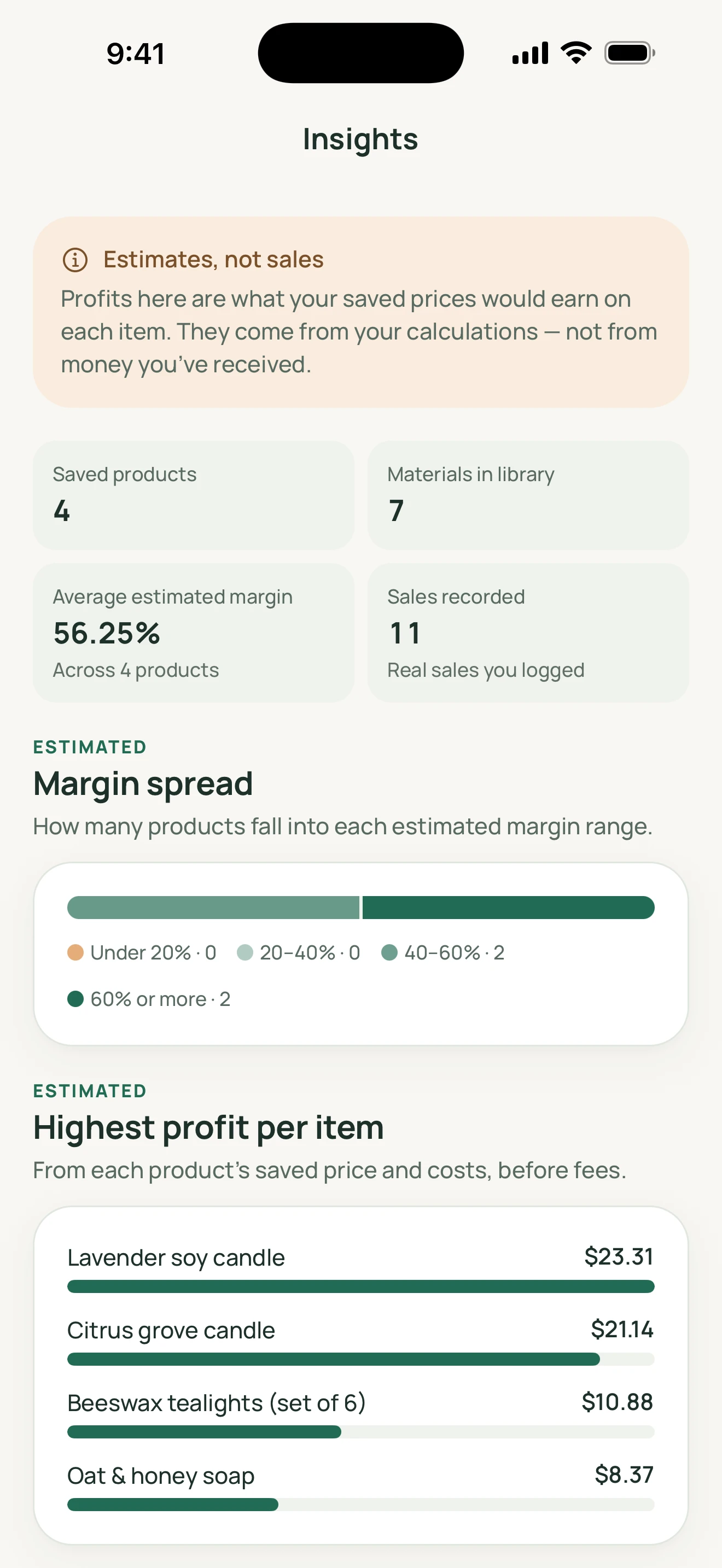
MadeMargin’s sales log is a manual record of transactions you enter. It does not import orders or receive payments. Product insights answer a different question: what saved products might leave at their stored costs and prices.
Worked guide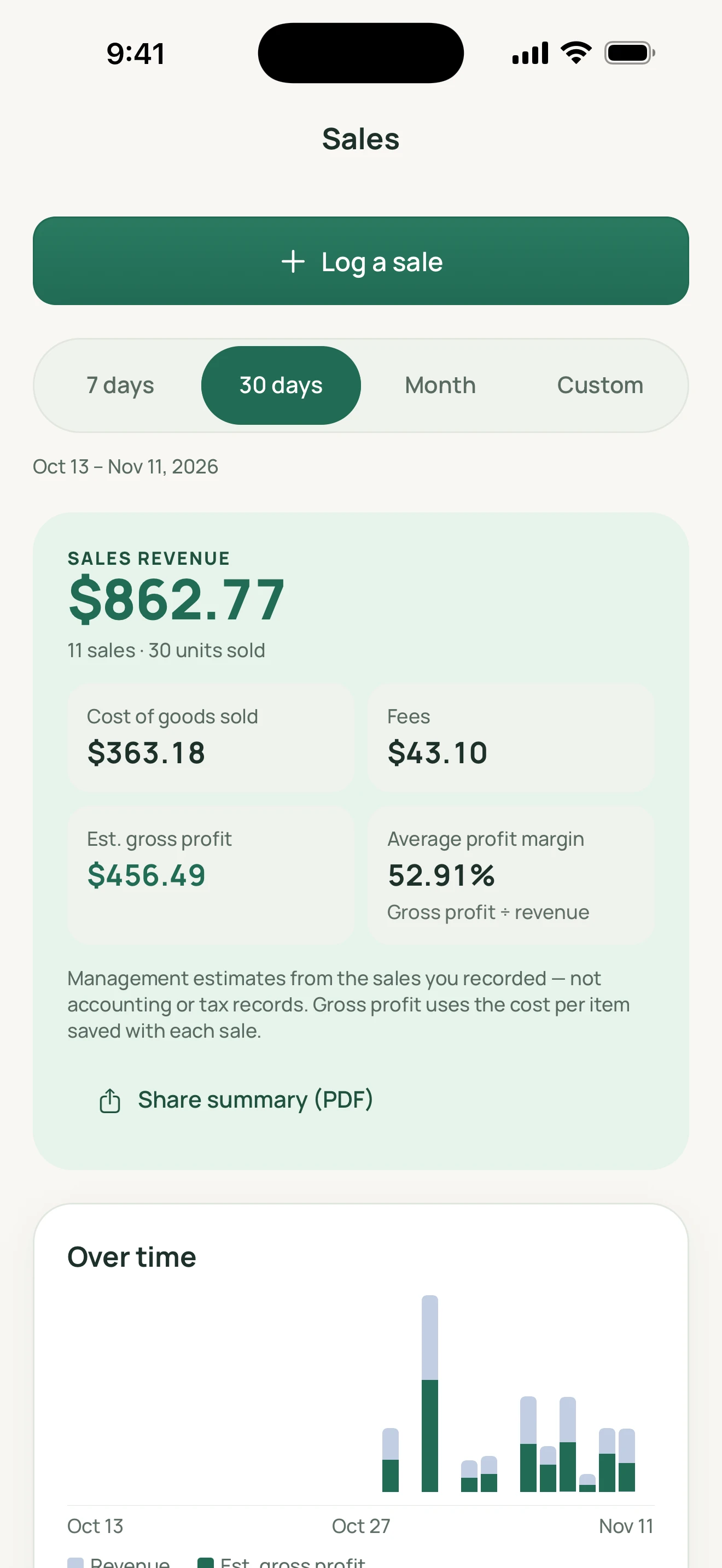
MadeMargin
How it works
An actual sale uses its own figures
Enter the sale date, quantity, actual price per item, cost snapshot and total fees for the sale. Actual selling price excludes sales tax and shipping charged. A suggested channel fee can be overwritten with what you were actually charged, rather than treated as a confirmed expense.
History is not today’s product price
A recorded sale keeps snapshots of product/channel names, unit price, unit cost and fees. Later editing or deleting a product or channel does not change that recorded sale. Correcting the sale itself is a separate explicit action.
Read the right total
Date-based summaries calculate recorded revenue as quantity × selling price. Estimated gross profit subtracts the saved cost of goods and recorded fees. Saved-product insights instead use product estimates, not money received. Currency totals remain separate; USD and EUR are never added as one converted total.
A practical workflow
Enter the sale
Choose a saved product or supply the relevant details, sale date, quantity and actual unit price.
Check costs and fees
Review the cost snapshot and enter the total actual fees for that sale.
Review a date range
Read revenue, costs and estimated profit in the relevant currency; consult product insights separately.
Worked guide
A recorded sale is not a product estimate
Record three USD sales units together at USD 35.00 each, a stored cost of USD 12.00 per item, and USD 6.00 total sale fees.
Illustrative inputs, separate from the demo screenshots. These are not customer results or promised outcomes.
| Input or step | Calculation or action |
|---|---|
| Recorded revenue | 3 × USD 35.00 = USD 105.00. |
| Cost and estimated profit | 3 × USD 12.00 = USD 36.00 cost; USD 105.00 − USD 36.00 − USD 6.00 = USD 63.00 estimated gross profit. |
| A later cost change | Changing the saved product cost to USD 14.00 does not rewrite this sale’s USD 12.00 cost snapshot. |
| Another currency | A GBP sale remains in GBP totals; it is not added to USD 105.00 through an exchange-rate conversion. |
These are simplified management estimates. Accuracy depends on your entries and cost snapshots; they are not guaranteed earnings or complete accounting/tax records.
Feature questions
Does updating a product change an older sale?
No. The sale retains its own recorded snapshots. Edit the sale explicitly if its original figures need correction.
Are fees entered per item or for the sale?
The sales record stores total fees for all items in that sale. Avoid multiplying a total fee again by the quantity.
Why do insights differ from sales?
Product insights use saved product prices/costs. Sales summaries use the actual quantities, prices, costs and fees you recorded for a date range.