
Channel comparison
See what each way of selling leaves behind.
Compare configurable marketplace, payment and listing fees, shipping and tax context with break-even prices and retail rounding.
A direct sale, a market event and an online order can have different costs. Compare them from the same product calculation using assumptions you enter and maintain, rather than treating every selling price as equally profitable.
Worked guide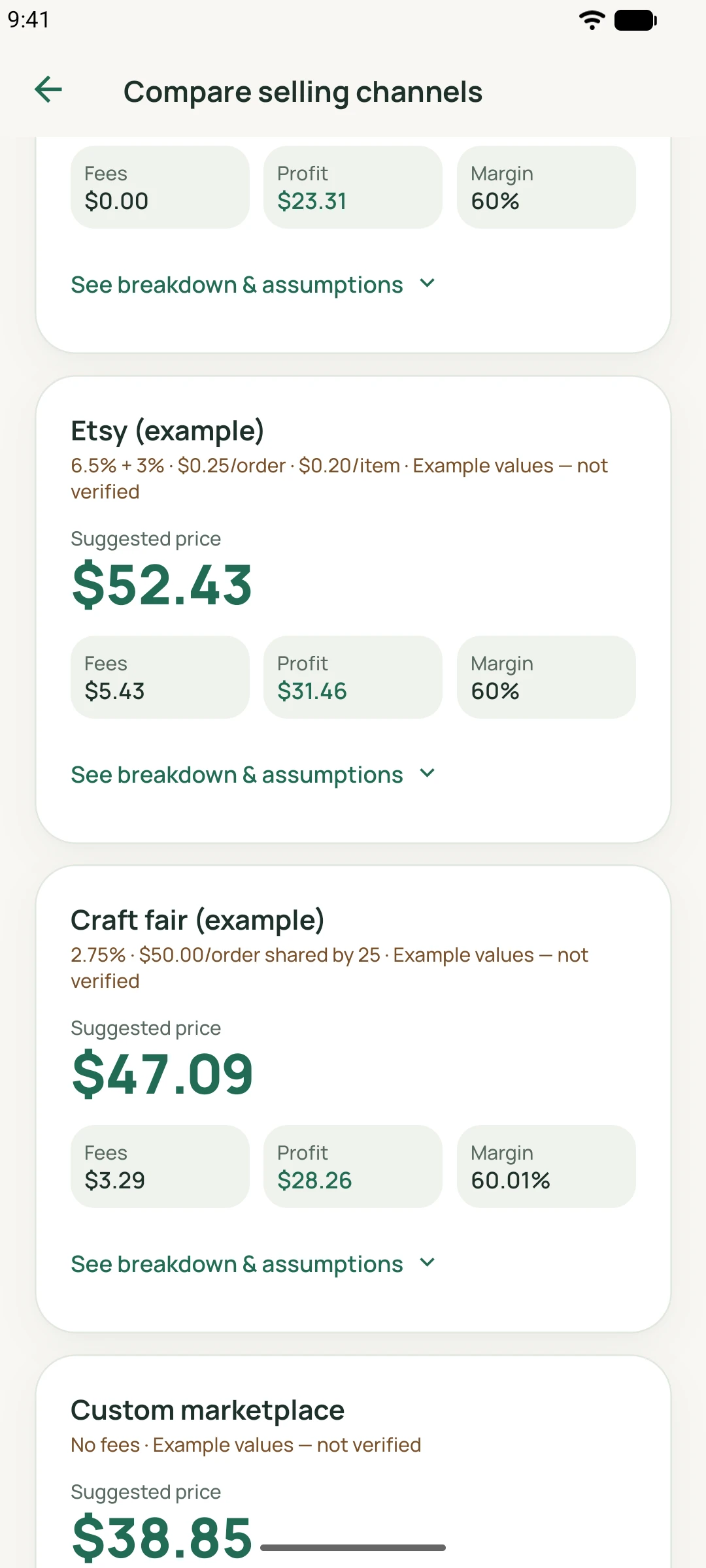
MadeMargin
How it works
State what each fee applies to
Configure marketplace/transaction and payment percentages, fixed per-order fees, other allocated order or event costs, and per-item listing fees. Fixed order fees are shared across the configured items per order. Settings control whether percentage fees include shipping and whether payment fees include collected tax.
Shipping and tax have different roles
Shipping charged to the buyer and postage you pay are separate inputs; packaging belongs to product costs. Collected sales tax is passed through, not counted as revenue. Tax context changes the calculation’s fee bases; it does not provide tax advice, filing or remittance.
Price, break-even and rounding
Review a price for your chosen markup or margin alongside the break-even price. Prices round upward to cents and optional retail endings; fees and profit are recomputed from the final price. Targets that cannot coexist with the configured fees cannot produce a valid price.
A practical workflow
Start with product costs
Use a saved product or calculator costs and choose a markup or margin target.
Set the selling assumptions
Enter actual applicable fees, order allocation, shipping and tax settings for each channel.
Compare the final figures
Review break-even, fee breakdown, retail rounding and estimated profit before choosing a price.
Worked guide
Allocate an order fee before comparing
Illustrative USD settings: product cost 20; transaction fee 5%; payment fee 3%; order fee 0.60 shared across 3 items; listing fee 0.10 per item. No shipping or tax.
Illustrative inputs, separate from the demo screenshots. These are not customer results or promised outcomes.
| Input or step | Calculation or action |
|---|---|
| Fixed cost per item | USD 0.60 ÷ 3 + USD 0.10 = USD 0.30. |
| Break-even price | (USD 20.00 + USD 0.30) ÷ 0.92 → USD 22.07, rounded up. |
| 50% markup target | (USD 20.00 + USD 10.00 + USD 0.30) ÷ 0.92 → USD 32.94. |
| Optional .99 ending | USD 32.99 final price; about USD 2.94 fees and USD 10.05 estimated profit. |
These fictional rates are not published marketplace or payment-provider fees. Check the rates and fee bases that actually apply to your business.
Feature questions
Are the example Etsy or craft-fair rates current?
They are editable illustrations, not verified published rates. Enter and maintain your own applicable charges.
Can I allocate an event fee?
An other per-order/event amount can be shared across the configured item count. That count is your assumption, not a forecast of sales.
Can rounding reduce the target price?
The supported retail rounding moves upward. The final fee and profit figures are recalculated after rounding.