
Batch pricing
Cost the items you can actually sell.
Spread batch totals across usable items after rejects, add per-item extras, and review unit costs and break-even quantities.
A pour of candles or a run of sewn pouches shares work and materials. Batch pricing separates costs for the whole run from extras on each sellable item, so rejected pieces do not disappear from your cost calculation.
Worked guide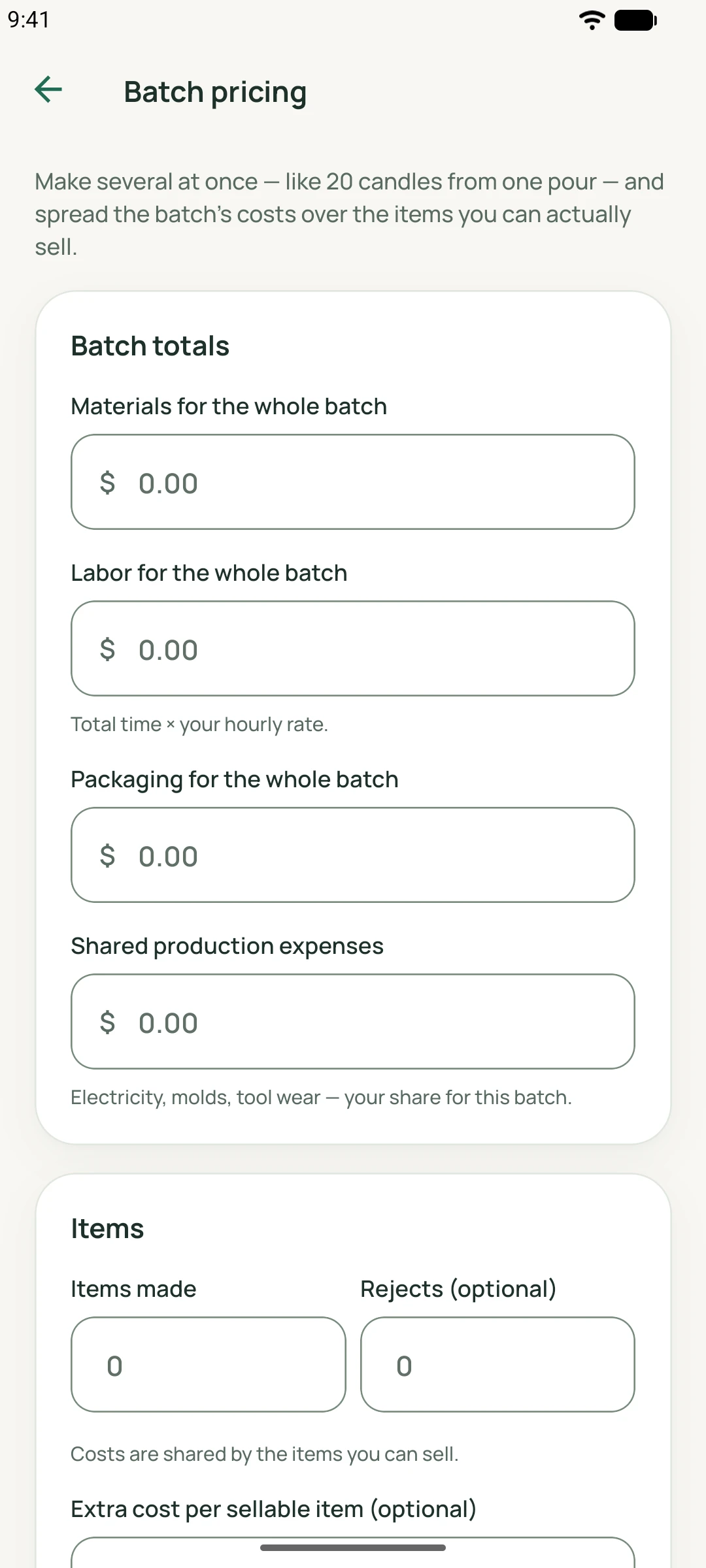
MadeMargin
How it works
Whole-batch totals and usable items
Enter materials, labor, packaging and shared production expenses for the full batch. Items made minus rejected items gives the usable count. Whole-item counts and at least one usable item are required; costs are divided by usable output, not simply by everything made.
Extras belong in one place
A gift tag or other extra added to each sellable piece goes in per-item extras if it is not already in batch totals. Extras are applied to usable items. Including the same cost in both places would count it twice.
From unit cost to recovery of the batch
Use the channel fee, shipping, pricing-target and rounding settings to calculate the unit selling figures. Break-even quantity uses the contribution left per sold item after fees and postage to cover the modeled whole-batch cost. It can exceed the available quantity or be unattainable.
A practical workflow
Total the run
Enter full-batch costs once, including shared expenses such as your chosen allocation of tool wear.
Count usable pieces
Enter items made and rejects, then add any separate cost for each sellable item.
Review unit and batch figures
Choose pricing/channel assumptions and inspect unit cost, total cost and break-even quantity.
Worked guide
Twenty candles, two rejects
Illustrative USD batch totals are 180 before extras. Make 20 candles, reject 2 and add USD 1.00 of extras to each usable candle.
Illustrative inputs, separate from the demo screenshots. These are not customer results or promised outcomes.
| Input or step | Calculation or action |
|---|---|
| Usable output | 20 − 2 = 18 candles. |
| Total and unit cost | USD 180.00 + (18 × USD 1.00) = USD 198.00; USD 198.00 ÷ 18 = USD 11.00 each. |
| Break-even quantity | At USD 18.00 price and USD 1.00 fees per sale, with no postage, USD 17.00 remains: USD 198.00 ÷ USD 17.00 ≈ 11.65, so 12 sales are needed. |
| If all 18 sell | USD 324.00 revenue − USD 18.00 fees − USD 198.00 batch cost = USD 108.00 estimated profit. |
The setup screenshot has empty inputs. It does not depict this worked example or a calculated result. No sales quantity or profit is promised.
Feature questions
Should I include rejected items in the total made?
Yes. Enter everything made, then specify rejects separately so the app can calculate usable output.
What if every item is rejected?
There is no usable item to price. The calculation requires a positive usable count.
Why can break-even exceed my usable batch?
The modeled contribution per sale may be too small to recover the whole cost within that batch. Review costs and selling assumptions.